- Application and identity
- App and certificate
- Test signature
Before you start
We establish the product, term and identity verification route. Have access to your own email and a valid identity document. Your first enquiry only needs a description; issuance data belongs in the designated activation process.
Application and verification
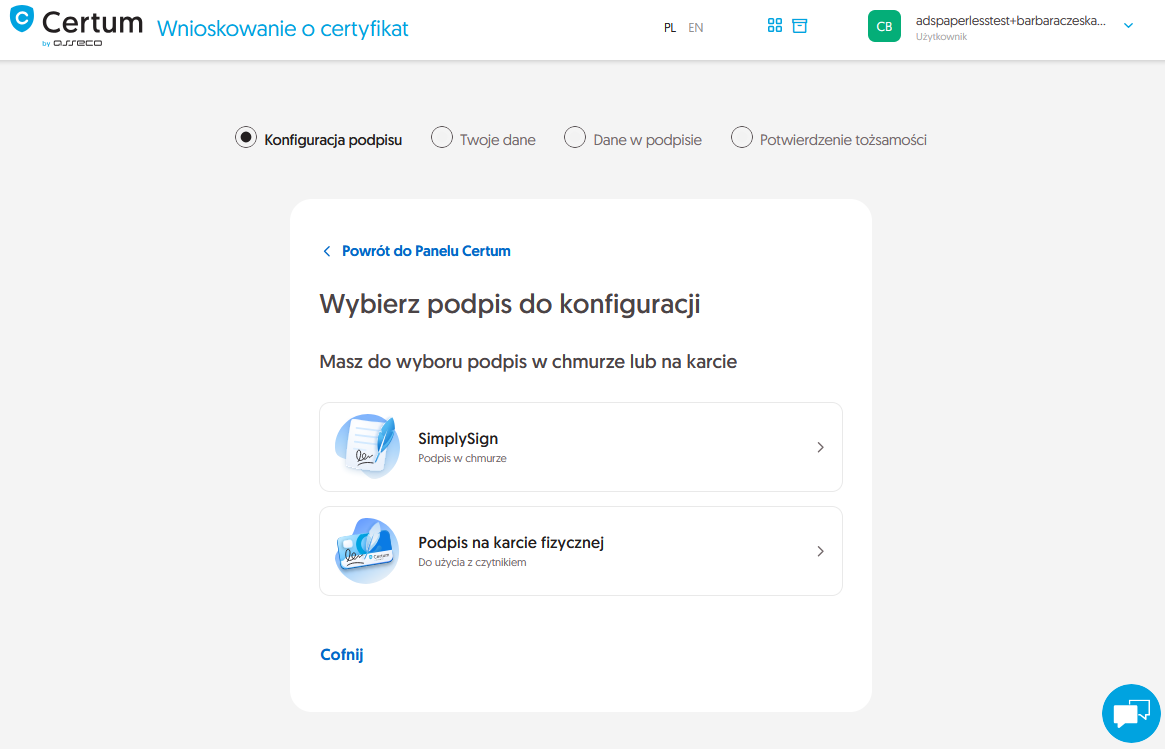
In the Certum panel, start a signature application. The Polish interface uses „Wnioskuję o podpis”, also available through „Moje sprawy” and „Nowa sprawa”. Select SimplySign during configuration. Identity verification must match the service route agreed beforehand. Check the data and term, then complete the assigned verification steps.
After issuance
Once issuance is confirmed, prepare the SimplySign mobile application. Activate the app and install the certificate through the assigned process. Keep the codes you create securely for your own use.
Check readiness
Check certificate details and dates. For computer use, prepare SimplySign Desktop and signing software. Sign a test file and validate the result. An issuance email alone does not confirm that the full setup is complete.
The solution and your next questions
Explore the solution and supportDoes issuance mean I can start signing immediately?
Issuance and application readiness are separate stages. Certificate installation or access activation may still be needed. Finish with a test signature and validation.
How long does activation take?
Timing depends on the selected route, complete information and available verification method. Tell me your deadline; a purchase alone does not establish completion.
Keep the preparation checklist.
Before signature activationHave a similar case?
Tell QES what you need to accomplish and where you are in the process. We will match the right solution or identify what is missing.
Contact QES